Building an Android app no longer has to begin with professional coding skills or end with a public launch on an app store. Google is introducing a simpler way for people to create their own apps with artificial intelligence and install them privately through Google Play.
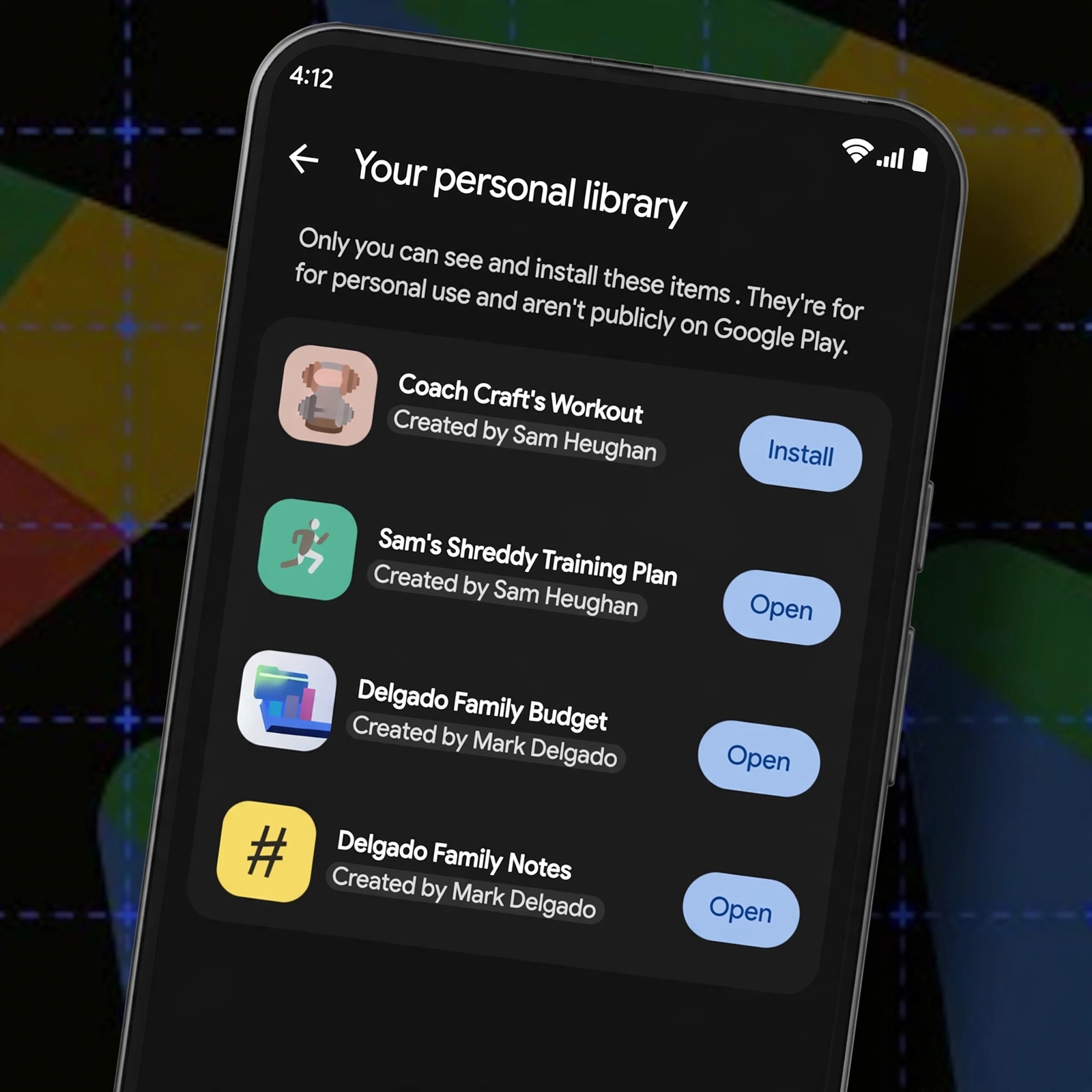
Announced on October 13, the feature allows users to build custom Android apps using Google AI Studio and access them through a new section called “Your personal library.” Unlike traditional app publishing, the process does not require a paid Google Play developer account.
The change could make it easier for people to create small, practical tools tailored to their own needs without the cost and administrative work associated with distributing an app publicly.
Google Play Introduces a Private Home for AI-Built Apps
The new feature builds on the growing popularity of vibe coding — a way of creating software by describing what you want in ordinary language and using AI to generate or modify the code.
Through Google AI Studio, users can develop an Android app and refine it with additional instructions. They can then access their personal creation through Google Play without following the traditional public publishing process.
The app appears in a private library rather than the public Play Store catalogue. It is not listed in public search results, and other users cannot access it through the normal store interface.
For example, someone could create a personal task tracker, a study planner or a simple tool for recording everyday activities. Instead of developing the app for millions of potential users, the creator can focus on solving a specific problem.
Google says users can use their standard Google accounts for this process, removing the need to pay the usual $25 developer registration fee just to install their personal creations through this feature.
How the New Personal App System Works
The process connects AI-assisted development with app installation through Google Play.
1. Describe your idea: Use Google AI Studio to explain the Android app you want to create.
2. Refine the app: Review the generated result and make changes until it better matches your needs.
3. Access your personal app: Use the supported Google Play feature to place the app in your personal library.
4. Install and use it: Access the app through Google Play on supported devices where the feature is available.
The main benefit is convenience. Previously, getting a custom Android app onto a device could involve connecting a phone to a computer, using developer tools or navigating developer-account requirements.
Google's new approach is designed to reduce those barriers for people creating apps for personal use.
Private Apps First, Wider Distribution Later
Google is not opening unrestricted public publishing to every AI-generated app. The initial feature is intended for personal use, keeping creators' apps separate from the public store.
The rollout begins with users aged 18 and over in the United States and select other markets. Google has not publicly identified every market included, so availability should not be assumed in countries that have not been confirmed.
The company also plans to introduce sharing with a close circle of friends and family in the coming months. Creators who eventually want to distribute their apps publicly will be able to move towards a professional developer account.
At that stage, their apps will face Google's Trust and Safety reviews and quality requirements for public distribution.
This distinction matters because an app that works for its creator is not automatically ready for widespread use. Public distribution requires additional scrutiny to help protect users and maintain the quality of the Play Store.
The Bigger Picture: AI Is Lowering the Barrier to App Development
Google's move reflects a wider shift in software development. AI tools are making it easier for people with limited programming experience to turn ideas into basic applications.
That could encourage more experimentation, particularly among students, small businesses and individuals who need a tool that existing apps do not provide.
However, generating an app does not guarantee that its code is secure, its features work correctly or its handling of personal information is appropriate. AI-generated software still needs testing, and users should be cautious about entering sensitive information into applications they have not properly evaluated.
Google's personal library also does not mean every AI-built app can immediately reach the public. The private route is designed for individual use, while broader distribution remains subject to separate requirements.
For now, the feature's most significant promise is straightforward: people can move from describing an app idea to using their own Android app with fewer technical and financial barriers. If Google expands the rollout and introduces its planned sharing options, the system could offer an easier starting point for aspiring app creators.